Video cards
Should you buy a used GPU? Value, tests, and warranty
Buy a used graphics card only when its total cost beats a suitable new card, you can test the exact unit, and the return or warranty terms are clear.
By David L. Published
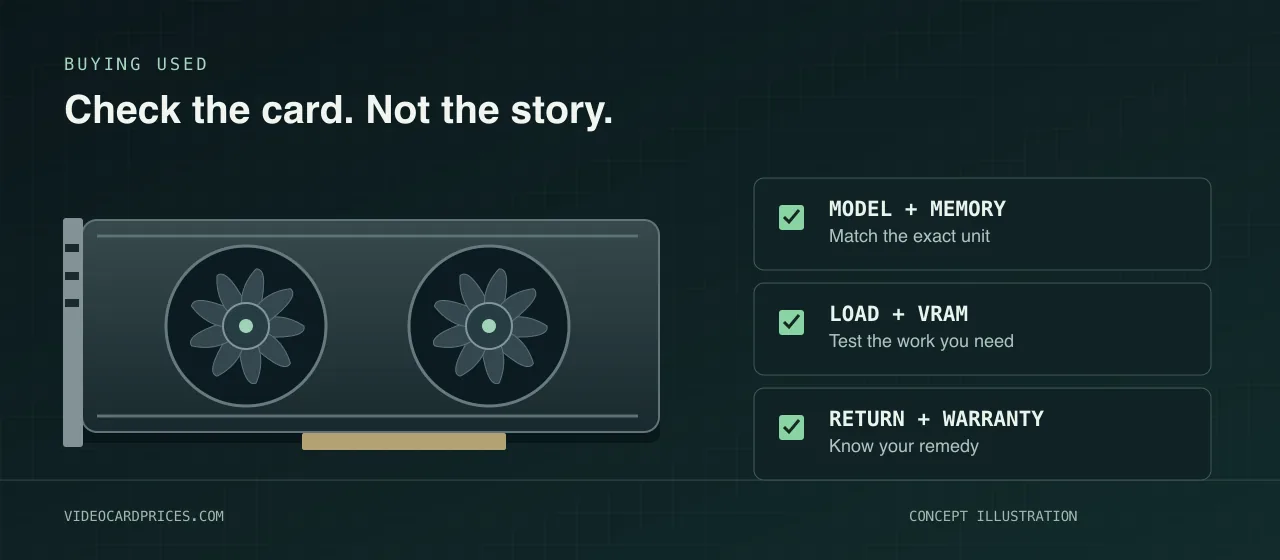
Buy a used GPU only when the complete deal beats a suitable new card and you can verify the exact unit. A discount is not enough if it disappears into a power-supply upgrade, an undisclosed fault, or a return you cannot use.
I have not inspected or stress-tested the cards in these listings. This October 6, 2026 guide uses fetched manufacturer specifications, warranty and marketplace policies, testing-tool documentation, independent buying advice, and recent Reddit questions. It is not a survey of current used prices or GPU failure rates.
When is a used GPU actually the better buy?
Three independent buyer threads in the October 3 to October 6 scan explicitly asked about used cards: a first purchase, a gaming upgrade with power-supply costs, and a continuously running image-generation machine. A related upgrade discussion compared an older RTX 3080-class card with waiting for an RTX 5070. The recurring used-card decision was the same: how much money does buying used really save, and what can you verify before accepting the risk?
| Situation | What I would do |
|---|---|
| The used card meets the workload, passes checks, and leaves worthwhile savings | Consider it after confirming the seller and return or warranty terms |
| A suitable new card costs only a little more after all expenses | Buy new from a reputable seller with usable support |
| The seller refuses reasonable proof, testing, or clear condition information | Walk away |
| The listing says parts only, untested, or known faulty | Treat it as a repair project, not a working-card bargain |
| A work machine cannot tolerate a failed card or days of downtime | Price a replacement plan and support, not just the cheapest GPU |
There is no honest universal discount that makes every used card worth buying. A low-cost gaming upgrade and a machine earning money every day have different consequences when something fails.
Compare total cost, not launch MSRP
The useful comparison is:
Used-card total = purchase price + shipping and tax + required system changes
Compare that with a suitable new card that clears the same workload. Include the value to you of verified warranty coverage, returns, and downtime. Do not turn an unknown failure risk into a made-up percentage.
For illustration, not as current offers: a $350 used card plus an $80 required power supply costs $430 before shipping and tax. Against a suitable $450 new card that works with your existing system, the saving is $20, not $100. I would not give up useful support for that small a gap.
Tom’s Hardware’s used-GPU guide also recommends comparing used and retail alternatives, considering the seller, and testing promptly. Its historical price table is not an October 2026 price source.
Start with the live GPU prices, the RTX 3080 card page, and a comparison with the RX 9060 XT 16 GB. Those pages identify tracked products and offers, not the condition of a different card on a local marketplace. Check the exact seller, memory version, listing condition, and freshness before using a price.
Are you buying the right card, or just an old flagship?
Write down the resolution, games, settings, applications, and memory requirement before shopping. An older high-end name does not prove that the card is the best fit today.
Check the full model and memory version. NVIDIA lists the RTX 3080 in 10 GB and 12 GB configurations, with reference graphics-card power of 320 W and 350 W respectively. NVIDIA lists a 750 W system-power requirement, based on its specified test system, and notes that the required rating depends on the configuration. Board-partner cards can differ.
For another common used option, AMD specifies 16 GB of GDDR6, 300 W typical board power, and a 750 W minimum PSU recommendation for the RX 6800 XT. Those specifications do not tell you whether an individual used card is healthy or whether your exact system is suitable.
Check card length, thickness, cable clearance, the actual PSU and connectors, cooling, and current drivers for your operating system. Do not plan around an undervolt you have not tested. For memory and upgrade thresholds, use the 1440p VRAM guide and the GPU upgrade guide.
What should you ask the seller before paying?
I would ask for:
- Exact identity. Model, board-partner version, memory capacity, and clear photos of the actual card and readable labels.
- Ownership and history. Purchase date and receipt, reason for selling, known faults, mining or other continuous use, repairs, cooler changes, and firmware changes.
- Working proof. A current demonstration of that card running, not just a stock photo or a score from an unidentified system.
- Terms. The condition being promised, return route, deadline, shipping responsibility, and who handles a warranty claim.
Tom’s Hardware’s second-hand hardware advice makes the same distinction between a picture and proof of working hardware. Keep the listing and relevant messages so the promised condition remains documented.
A seller saying “light gaming” or “never mined” is not a measured condition report. A clean exterior is helpful, but it is not proof that the memory, cooling, or power circuitry is sound.
How should you test a used GPU?
Use a suitable system, stock settings, and the correct driver. For a local purchase, agree on inspection and testing before paying. For a shipped card, review the seller’s proof before paying, then inspect and test promptly after delivery while eligible return options remain available.
| Check | What to look for |
|---|---|
| Physical inspection | Damaged connectors, corrosion, missing parts, altered labels, and visible repair or impact damage |
| Identity in the running system | The exact GPU and memory match the listing |
| A demanding game or graphics benchmark | Artifacts, crashes, unexpected performance, fan problems, and abnormal temperature or clock behavior |
| A separate VRAM test | Reported memory errors, not just a successful graphics score |
| Your actual workload and display setup | The games, creator project, model, and outputs you need work on that unit |
OCCT’s feature documentation describes separate 3D Adaptive and VRAM tests, plus monitoring. Its VRAM test also has limitations: the vendor says transfer-related errors can be hidden by hardware retransmission. One clean tool result is not a complete health certificate.
Compare temperatures and clocks with credible testing of the exact board-partner model under similar conditions. I would not use one universal temperature cutoff for every GPU, cooler, sensor, or workload.
If a test produces errors, stop and investigate before accepting the card. Do not let the seller replace a repeatable fault with a promise that it only needs a driver or repaste. Do not dismantle, flash, or overclock the card to try to fix an undisclosed problem before checking the return terms.
A passing test establishes behavior during that test. It does not predict the remaining life of the card. For creator or local-AI work, I would include a representative project or model in the acceptance checks. A gaming result does not answer whether my software and workload fit. The local-AI GPU guide owns that separate memory and software decision.
Is a mining card automatically bad?
I would not decide from that label alone. I would decide from the exact unit, price, history I can document, tests, and recourse.
Tom’s Hardware’s reporting on a 19-card Linus Tech Tips test describes many used cards matching their reference counterparts, but also a card with temperature and VRAM problems. That is a small performance and stability sample, not a measured long-term failure rate or proof that every mining card is safe.
The opposite claim is unsupported too. This guide does not assume every older card was mined on or apply an automatic annual performance penalty. Mining history can still matter to warranty coverage: EVGA’s graphics-card terms include exclusions for damage associated with specified abnormal use, including cryptocurrency mining. Read the actual policy rather than substituting a seller’s story for it.
Does the warranty transfer to you?
Ask the manufacturer about the serial number, region, purchase documents, original dates, and your status as a second-hand buyer. Do that before assigning value to “still under warranty.”
EVGA’s terms for the United States and Canada provide a separate transferable warranty for qualifying second-hand products. The term depends on the product suffix and original shipment date, and proof of the transaction between owners is required. Buying the card used does not start a new warranty period.
MSI’s US graphics-card policy ties coverage dates to an authorized-retailer invoice or the manufacture date and states that terms vary by region. That page alone does not establish that a particular second-hand purchase transfers coverage. Get confirmation instead of treating a receipt or unopened box as a universal guarantee.
Manufacturer warranty, seller warranty, a return window, and marketplace buyer protection are different things. Find out which one you actually have.
What does eBay buyer protection cover?
eBay’s Money Back Guarantee policy says an eligible item that arrives faulty or does not match the listing can be returned even when the seller does not offer returns. Eligibility, payment method, checkout site, deadlines, and return requirements still apply.
For ordinary eligible “not as described” returns, the policy specifies a request deadline of 30 calendar days after the applicable estimated or actual delivery date, or the seller’s longer stated window. Follow the actual order and return instructions. Do not assume every country or transaction uses identical terms.
The same policy explicitly says Money Back Guarantee is not a product warranty. A disclosed broken card is not an undisclosed fault. A later failure or a change of mind does not automatically receive the same protection.
I would keep payment and dispute handling within the covered transaction, save the listing, and test promptly. I would not move an online purchase off-platform just because the seller offers a small extra discount.
What I would buy
I would buy the least expensive verified card that meets my workload, not automatically the cheapest used listing.
If the used option leaves worthwhile savings, passes inspection and workload checks, and has terms I can actually use, I would consider it. If a suitable new card costs only a little more after all expenses, I would buy new. If the seller blocks verification or the deal depends on repairing an undisclosed problem, I would walk away.
The bargain is a working card at a defensible total cost. Not a flagship name and a hopeful story.
Sources and limits
The October 3 to October 6, 2026 Reddit scan found these independent questions. The posts and comments establish demand and disagreements, not prices, reliability, performance, or a consensus:
- r/PHbuildapc: What to ask and test before buying a used GPU.
- r/LocalLLM: A used RTX 3090 for a continuously running image-generation PC.
- r/gpu: Used-card choices with a limited budget and PSU changes.
- Related upgrade discussion, not counted toward the used-card recurrence bar, r/buildapc: RTX 3080 or RTX 3080 Ti versus waiting for an RTX 5070.
Fetched evidence:
- NVIDIA RTX 3080 specifications and AMD RX 6800 XT specifications for the memory and reference power figures, not used-unit condition.
- EVGA graphics-card warranty terms and MSI US graphics-card warranty policy for product, ownership, date, region, and exclusion boundaries.
- eBay Money Back Guarantee terms for conditional purchase protection, return deadlines, and the distinction from a product warranty.
- OCCT testing features for graphics, VRAM, and monitoring checks, including documented test limitations.
- Tom’s Hardware’s used-GPU guide and second-hand hardware inspection advice for independent purchase and testing guidance.
- Tom’s Hardware’s report on the Linus Tech Tips used-card tests for a limited observed sample, not a long-term reliability study.
- The site’s GPU catalog and price methodology for tracked-product identity and listing limitations. No precise current retailer price is asserted in this guide.
This guide does not claim hands-on testing, a universal safe temperature, a failure probability, remaining lifespan, guaranteed warranty transfer, or future prices. The dollar example is explicitly illustrative. Policies were fetched on October 6, 2026 and can change; confirm the terms that apply to your exact purchase.
Questions buyers ask
- Is it worth buying a used GPU instead of a new one?
- Yes, when the exact used card meets your workload and its total cost leaves worthwhile savings against a suitable new card. Include shipping, taxes, required system changes, and the risk of limited warranty or returns. I would buy new when the savings are small or I cannot test the used unit and establish a clear remedy for an undisclosed fault.
- What should I test before buying a used graphics card?
- Verify the model and memory, ask for working proof, and confirm purchase terms before paying. For a local card, inspect the board and connectors and run graphics and VRAM tests at stock settings before purchase. For a shipped card, do those checks promptly after delivery while eligible return options remain available. Watch for errors, artifacts, crashes, fan problems, and abnormal clocks or temperatures, then test your actual workload and display outputs.
- Is a former mining GPU automatically a bad buy?
- No blanket verdict follows from mining history alone. Inspect and test the exact card, ask about repairs and firmware changes, and check applicable warranty exclusions. A card passing today is not proof of remaining lifespan, and a seller saying never mined is not a condition report.
- Does a used GPU still have a manufacturer warranty?
- Possibly, but do not assume it transfers or restarts when you buy the card. Coverage depends on the manufacturer, region, exact product, original dates, proof of purchase, and exclusions. Ask the manufacturer to confirm coverage for the serial number and your purchase before treating it as part of the deal.
- Does eBay Money Back Guarantee replace a GPU warranty?
- No. It is a purchase-protection policy with eligibility requirements and deadlines, not a product warranty. An eligible undisclosed fault or item that does not match the listing can qualify for a return even if the seller says no returns. A later failure or a change of mind is not automatically covered on the same terms.