Video cards
Best GPUs for local AI: what to buy by memory and budget
Choose a local-AI GPU by usable VRAM, software support, and whether one large card or multiple used cards best fits the workload.
By David L. Published Updated
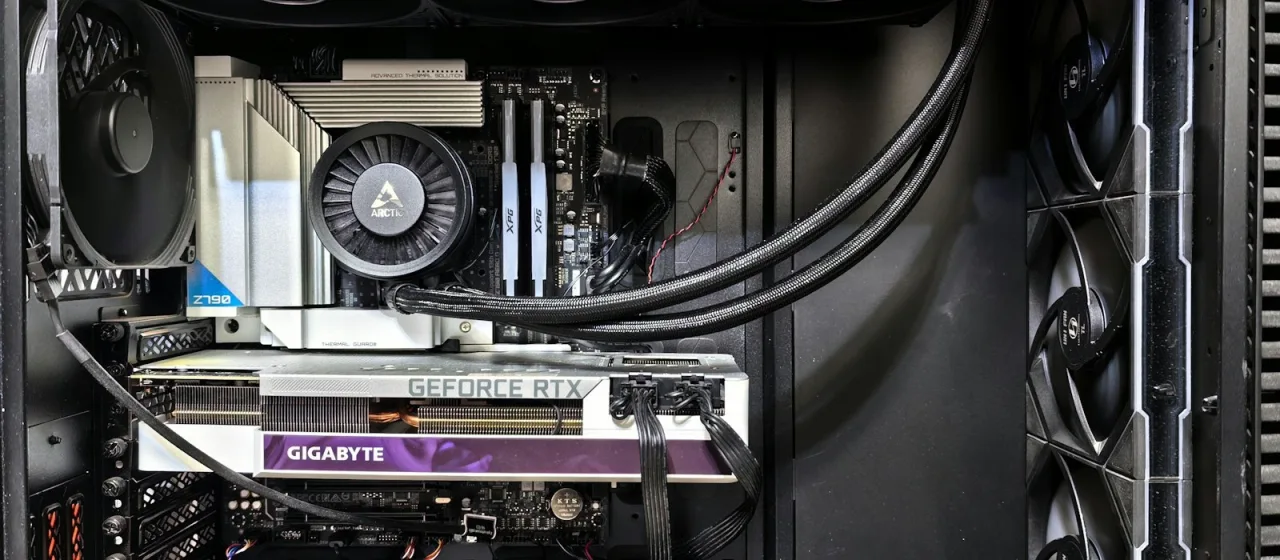
The short answer is simple: buy enough VRAM first, then worry about speed. A fast card that cannot hold your model is the wrong card.
This is buying advice based on current specifications, prices, and software support, not a hands-on benchmark review or a measured multi-GPU test. Prices move quickly, so follow the linked card pages for the latest verified listings.
My picks
| What you need | My pick | Why |
|---|---|---|
| Learn local AI without spending a fortune | Intel Arc B580 | 12 GB gives you more room than the usual 8 GB starter card. Buy it only after checking support for your exact apps. |
| Best practical new build | RTX 5070 Ti | 16 GB and NVIDIA’s software ecosystem make it the least complicated serious starting point. |
| More memory without workstation pricing | Radeon RX 7900 XTX | 24 GB is useful when capacity matters more than having the easiest software path. |
| Strongest consumer option | RTX 5090 | 32 GB is the most memory in a current GeForce card, but only buy when the street price makes sense. |
| Specialized 96 GB workstation | RTX PRO 6000 Blackwell | Huge ECC memory capacity for work that can justify a five-figure GPU. This is not a normal enthusiast upgrade. |
Start at 16 GB if you are buying new
Eight gigabytes still works for smaller quantized language models, image generation experiments, and learning the software. I would not build a new local-AI machine around it unless the budget is hard-capped.
Sixteen gigabytes is where the machine starts to feel useful instead of educational. The RTX 5070 Ti is my straightforward pick here because NVIDIA support is still the path of least resistance across local model tools. The RX 9060 XT 16 GB can cost less, but that savings only matters if the software you plan to use supports AMD well.
At 24 to 32 GB, the card becomes a real AI tool
The RX 7900 XTX has 24 GB. The RTX 5090 has 32 GB. That extra capacity gives larger models, longer context, and heavier image or video workflows more breathing room.
I would choose the RTX 5090 when broad compatibility matters and the current price is defensible. NVIDIA lists a $1,999 starting price, but the tracked market has often been much higher. Do not treat a bad street price as the cost of doing AI. Wait, buy used carefully, or compare a different class of machine.
One large GPU or multiple used cards?
Buy one large GPU when your model and context fit. Use multiple cards when the extra combined memory is the point, not because two model numbers look faster on paper.
Before choosing a second-hand card, read the used-GPU buying guide for condition checks, total purchase cost, and warranty or return limits.
Several Reddit threads in the September 8 to September 11 scan asked the same expensive question from different directions. One buyer was choosing between a 32 GB AMD workstation card and used 24 GB NVIDIA cards. Another already owned two RTX 3090 cards and was considering a platform change. A third was weighing two 16 GB Radeon cards against two 12 GB GeForce cards. The common problem was not brand loyalty. It was whether more devices would deliver useful capacity without adding the wrong platform, power, or software compromise.
| Buy one large GPU when… | Consider multiple GPUs when… |
|---|---|
| Your model, quantization, and context fit on one card | The combined memory lets a real workload fit that otherwise cannot |
| You want the least setup and troubleshooting | Your exact inference engine can split the model across the selected cards |
| Case space, cooling, noise, or power are limited | The motherboard exposes enough usable slots and lanes, and the cards physically fit |
| You also want a straightforward gaming or creator PC | You accept higher power draw, more heat, and workload-specific scaling |
llama.cpp documents multi-GPU split modes, but support for splitting a model does not promise that two cards will double speed. Model architecture, quantization, context length, backend, split mode, and host memory all change the result. I would run the exact model and settings on rented or borrowed hardware before rebuilding a workstation around a tokens-per-second target.
A pair of used RTX 3090 cards is a common capacity example. NVIDIA specifies 24 GB of GDDR6X and 350 W graphics-card power for each RTX 3090. Two cards therefore offer 48 GB of installed VRAM, but they also represent up to 700 W of graphics-card power before the CPU and the rest of the system. Board-partner dimensions vary, so verify the exact cards, slot spacing, connectors, and power-supply capacity rather than assuming any ATX case can take them. Tom’s Hardware also described the Founders Edition as physically large and confirmed its 350 W total graphics power in an independent review.
AMD can be compelling when used cards provide more memory per dollar, but check the software boundary first. The RX 6800 and RX 6800 XT each have 16 GB of GDDR6. AMD’s current ROCm overview lists official Radeon framework support for the 9000 series and select 7000-series cards, not the RX 6800 series. llama.cpp offers HIP and Vulkan backends, so these cards may still work for that specific tool, but that is not the same as broad official support across AI applications. I would not buy first and hope the backend works later.
Capacity also does not pool automatically. Two 24 GB cards are useful as a 48 GB plan only when the application can place the relevant model data across both devices. That is why a multi-GPU rig is a workload-specific tool, not a general replacement for one newer card.
Do not jump to a professional GPU without doing the math
The 96 GB RTX PRO 6000 Blackwell is attractive on a spec sheet. It is also a specialized purchase. You are paying for memory capacity, ECC, professional positioning, and the ability to keep a conventional workstation architecture.
If your workload needs more than 32 GB but does not require a standard PCIe GPU, compare an AI workstation, DGX Spark, and Mac Studio before choosing from the desktop AI systems catalog. These machines trade some flexibility and discrete-GPU behavior for a much larger shared memory pool.
What I would buy
For a new machine, I would start with 16 GB and NVIDIA unless I had a clear reason not to. I would buy one card that fits my real workload before building around multiple used GPUs. I would move to 24 or 32 GB, or to several cards, only because a tested model and context needed the capacity. I would not buy a five-figure professional card before comparing a 128 GB desktop AI appliance and cloud compute.
That is the boring answer. It is also the answer least likely to leave an expensive card sitting idle.
Sources and limits
- Current prices and card specifications come from the site’s tracked GPU catalog and are checked against exact marketplace listings.
- NVIDIA’s GeForce RTX 5090 page documents 32 GB GDDR7 memory and a $1,999 starting price.
- NVIDIA’s RTX 3090 specifications document 24 GB of GDDR6X, 350 W graphics-card power, and a 750 W required system-power figure for one Founders Edition card. Tom’s Hardware independently reviewed the RTX 3090 Founders Edition as a large 350 W card. A two-card build needs a system-level power calculation, not a doubled single-card PSU recommendation.
- AMD’s official RX 6800 and RX 6800 XT pages document 16 GB of GDDR6 on each card. AMD’s ROCm compatibility overview describes current official Radeon support, while llama.cpp’s project documentation lists HIP and Vulkan backends and its server documentation defines the available multi-GPU split modes.
- The recurring buyer question came from three independent threads: choosing a 32 GB AMD workstation card versus used 24 GB NVIDIA cards in r/LocalLLM, deciding whether to rebuild around two existing RTX 3090 cards in r/LocalLLaMA, and comparing two 16 GB Radeon cards with two 12 GB GeForce cards in r/LocalLLaMA. Those posts and comments identify the decision and its constraints. Their performance reports are anecdotes, not benchmark evidence.
- This guide does not claim measured tokens per second, thermals, noise, multi-GPU scaling, or application benchmarks. Those require controlled testing of the exact model, backend, cards, and host system.
Questions buyers ask
- How much VRAM do I need for local AI?
- Eight gigabytes is enough to learn with smaller quantized models, but 16 GB is a better floor for a new local-AI machine. Move to 24 or 32 GB when model size and context are the priority, and consider unified-memory desktop AI systems when your work regularly exceeds 32 GB.
- Is the RTX 5090 the best GPU for local AI?
- It is the most capable consumer GPU in this site's current catalog, with 32 GB of memory and broad NVIDIA software support. It is not automatically the best purchase because current street prices can sit far above its $1,999 launch MSRP.
- Should I buy AMD or NVIDIA for local AI?
- NVIDIA remains the safer default when you want the broadest compatibility and the least setup friction. AMD can offer more memory for the money, but you should verify that your exact tools and operating system support the card before buying.
- Is one large GPU better than multiple GPUs for local AI?
- One large GPU is the safer default because the model stays on one device and the build needs less power, cooling, space, and setup. Multiple used GPUs make sense when their combined memory is the cheapest verified way to fit your workload and your inference software supports splitting the model across those exact cards.